

LinkedIn Endorsements vs Recommendations: What’s the Difference?

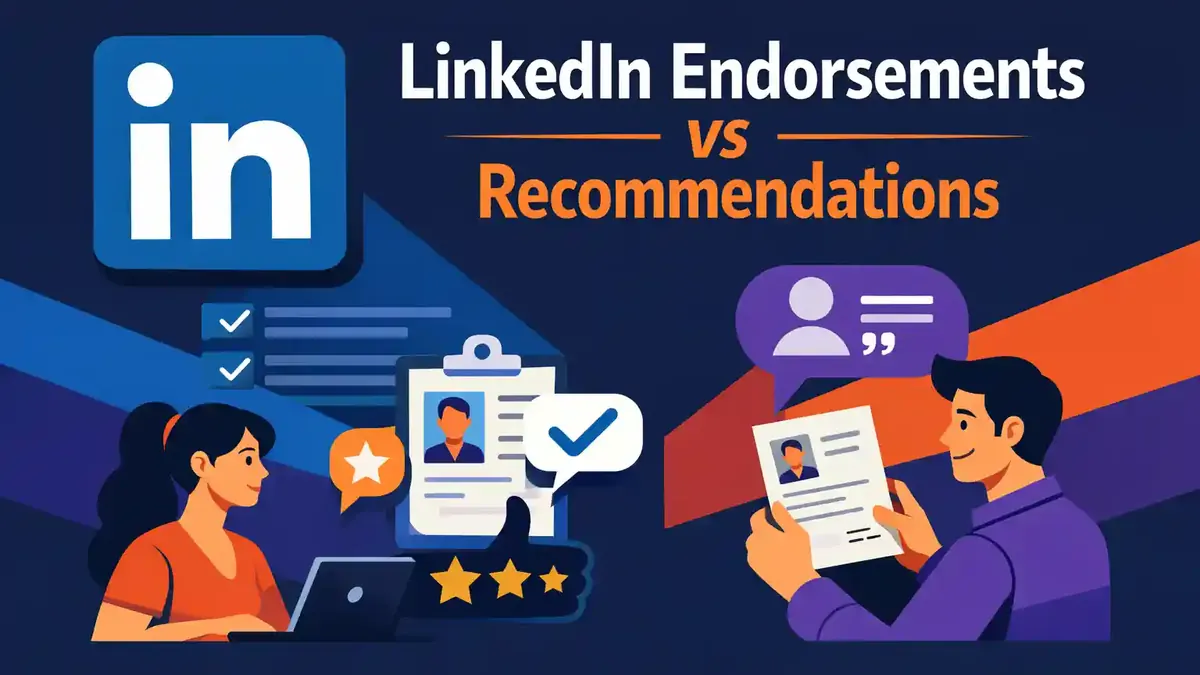
A LinkedIn endorsement is a short confirmation of one skill. A recommendation is a personal, written endorsement of your work. Endorsements are quick and easy to give. Recommendations take more effort, but they add more context about your approach, collaboration, and results.
Do you mainly want to support your skills list? Then ask for relevant endorsements. Do you want to show how you work and what results you delivered? Then ask for a personal recommendation from someone who has actually worked with you.
The strongest LinkedIn profiles often use both. Below, you will learn exactly how endorsements and recommendations work, what others can see, and which option fits your goal best.
What is the main difference between endorsements and recommendations?
With an endorsement, a first-degree connection clicks a skill to confirm that you have it. They do not need to write a long text.
With a recommendation, a first-degree connection writes a personal text about working with you. You have to accept the recommendation before it appears on your profile.
An endorsement mainly says: this person has this skill. A recommendation can explain: this is how this person used the skill, and this was the result.
The difference is mainly the amount of context. An endorsement is a quick signal. A recommendation is stronger evidence because it comes from real collaboration.
What is a LinkedIn endorsement?
LinkedIn calls an endorsement a confirmation of a skill. Your first-degree connections can confirm a skill on your profile. The endorsement appears in the Skills section.
While someone is endorsing you, LinkedIn may ask extra questions. For example, the platform may ask how well the person knows your skill or through which collaboration that knowledge comes. LinkedIn says the answers to those extra questions are not shown publicly. They are used in aggregated form to make recommendations and opportunities more relevant.
Who can give an endorsement?
Only a first-degree connection can endorse your skill this way. That means someone you are directly connected with on LinkedIn.
A random follower or profile visitor cannot do the same thing. There must be an accepted connection first.
Where does an endorsement appear?
The endorsement belongs to a specific skill on your profile. Visitors can see that connections have confirmed that skill. You can manage the visibility of endorsements and hide certain ones.
Endorsements do not appear as a long text on your profile. They support the skills you added yourself. That is why it is smart to show only current and relevant skills.
What is the biggest limitation?
An endorsement contains little context. Visitors do not automatically see which project you worked on, how large your contribution was, or what result you achieved.
So a large number of confirmations is not complete proof of your experience. Endorsements become more credible when the same skill also appears in your work history, projects, results, and recommendations.
Also, do not ask just anyone for an endorsement. A confirmation from someone who really knows your work is more valuable than a random click from a connection who has never seen the skill in practice.
What is a LinkedIn recommendation?
A recommendation is a written endorsement from a LinkedIn member. Usually, the person describes your working relationship, your approach, and the quality of your work.
You can ask for a recommendation from a first-degree connection you work with or have worked with. When you request one, you choose your relationship and your role at that time. You can also add a personal message.
A strong recommendation goes beyond general praise. The writer can explain, for example, what problem existed, what your role was, how you worked, and what the collaboration achieved.
Who can write a recommendation?
A first-degree connection can recommend you. Preferably choose someone who has really seen your work. That could be a manager, colleague, client, partner, or student.
The writer’s role does not automatically make the text valuable. Concrete content matters more than an impressive job title. A clear recommendation from a direct colleague can say more than a vague endorsement from someone in a senior role.
Where does a recommendation appear?
After someone sends a recommendation, you get a LinkedIn message. You can accept it, ignore it, or ask for a revision. Only after you accept it does the text appear in the Recommendations section on your profile.
Received recommendations are visible to logged-in first-, second-, and third-degree connections. On your public profile, LinkedIn may show the number of recommenders and up to two received recommendations.
So always check whether the text is correct before you accept it. Pay special attention to your job title, the collaboration period, company name, project details, and mentioned results.
What is the biggest limitation?
A good recommendation takes time. The writer has to create a real text, and you have to review it. Recommendations also appear in chronological order and, according to LinkedIn, cannot currently be manually reordered.
Also, not every recommendation is automatically convincing. A text that only uses words like professional, reliable, and pleasant says very little without a concrete example.
The most important differences
| Goal | Endorsement | Recommendation | Best choice |
|---|---|---|---|
| Confirm a skill quickly | One click on a skill | Too detailed for this goal | Endorsement |
| Explain a collaboration | Almost no context | Personal written text | Recommendation |
| Collect multiple signals quickly | Relatively fast | Takes more time per person | Endorsement |
| Describe a result credibly | Not suitable for details | Room for situation and result | Recommendation |
| Manage visibility | Manage per endorsement | Accept, hide, or ask for revision | Both |
| Costs | Free LinkedIn feature | Free LinkedIn feature | Same |
| Ease of use | Very easy | More steps and writing | Endorsement |
| Depth | Low | High | Recommendation |
Goal
An endorsement belongs to one skill. A recommendation covers your work as a whole or one specific collaboration. So always start with the proof you want to add to your profile.
Do you want to show that several people recognize your data analysis skills? Then endorsements work well. Do you want to explain how your analysis helped an organization make better decisions? Then a recommendation is a better fit.
Privacy and control
You can manage skills and endorsements. For a received recommendation, you decide whether to accept the text, request a change, or ignore the recommendation. Once accepted, you can hide a recommendation later.
Reach
Both elements appear on your profile and are therefore mainly seen by profile visitors. An accepted recommendation can also be shared as an update with your network. Do not rely on that completely. The lasting value is mainly on the profile itself.
Costs
LinkedIn does not charge separately for a standard endorsement or recommendation. What you mainly need is time and a real professional relationship.
If you want to expand the number of recommendations on your profile in a targeted way, you can also buy LinkedIn recommendations. Always make sure the content stays relevant to your profile and matches the skills and experience you show.
Speed
An endorsement can be given in a few seconds. A recommendation requires a text, receipt, review, and acceptance. In return, the written text can add much more meaning.
When should you choose endorsements?
Choose endorsements when you want to clearly show which expertise matters most. They work well for concrete skills such as project management, data analysis, sales, or using a familiar tool.
Endorsements are especially useful in these situations:
- You have just cleaned up your skills list.
- You want to support your top three to ten skills.
- Colleagues know your expertise but have little time.
- Your profile already explains enough in the Experience section.
- You want an easy first step.
Do not ask for every skill at once. Choose one or two skills the other person can truly judge. A former colleague from a sales team can confirm your sales skills more accurately than a technical skill they never saw in action.
Also check whether the order of your skills matches your current goal. Put the most important and most up-to-date skills clearly on your profile. Old skills that no longer relate to your work can distract attention.
For a full step-by-step guide, read what LinkedIn endorsements are and how to get them.
When should you choose recommendations?
Choose recommendations when context matters. A written text can explain what problem you started with, how you worked together, and what your contribution achieved.
Recommendations are especially useful when:
- you are applying for a new role;
- you work independently and need client trust;
- you have completed a major assignment or change;
- a manager can describe your development;
- you are changing industries and want to explain transferable skills;
- your job title does not clearly show what you did.
Ask for a recommendation shortly after a successful collaboration or project ends. The details will still be fresh. Send a personal request and, if relevant, mention which project, skill, or result matters.
Do not only ask people in senior roles. A recommendation is strongest when the writer was close to the work and can give a clear example.
How do you request a recommendation?
On a computer, you can request a recommendation from the profile of your connection:
- Open My Network.
- Go to Connections.
- Find the right person.
- Open that person’s profile.
- Click More.
- Choose Request a recommendation.
- Select your relationship.
- Select your role at the time.
- Write a personal message.
- Send the request.
You can also go to Recommendations on your own profile and request a recommendation there using the plus sign.
In the mobile app, go via My Network, Manage My Network, and Connections to the right person. Open the More menu on the profile and choose the option to request a recommendation.
LinkedIn allows only one open request per connection at a time. According to LinkedIn, there is no general limit on the total number of recommendations you can request or receive.
Give the other person enough time to respond. Do not send several reminders right away. A friendly reminder after a few days or a week is usually more polite than repeated pressure.
How do you write a good recommendation for someone?
A good recommendation is short enough to read easily and specific enough to be credible. Use this structure, for example:
- Explain how you know the person.
- State the role or collaboration.
- Describe one strong quality or skill.
- Give a concrete example.
- State the result or impact.
- Close with the kind of work you recommend the person for.
Do not only write that someone is great, reliable, and professional. Those words are kind, but without an example they do not say much.
A more concrete text might sound like this: “During our website redesign, Noor brought together the planning of three teams. She made the risks clear every week and helped us go live two weeks earlier.”
This text works better because the collaboration, the skill, and the result are all clear. The reader understands what Noor actually did.
How do you ask for proof in a polite way?
Make your request personal. Remind the other person of your collaboration. Do not ask for a pre-written positive text. Do give enough context to make writing easier.
A simple request could be:
“Hi Sam, thanks for our collaboration on the customer portal. Would you be willing to write a short LinkedIn recommendation about my role in planning and delivery? Only if you stand behind it based on our work together. I’d be happy to write honest feedback about your contribution as well.”
Do not send a mass message. A recommendation works because it is personal. Also avoid asking the other person to say exactly what you want. That can feel unnatural and make the text less credible.
Can you review a recommendation before it appears?
Yes. When someone writes a recommendation, you get a LinkedIn message. After that, you can:
- add the recommendation to your profile;
- ask for a revision;
- ignore the recommendation.
Ask for a change if there is a factual error in the text, a project name should not be mentioned, or the text is unclear. Explain politely and specifically what needs to change.
If you permanently ignore a recommendation, you cannot bring it back yourself. The writer must delete the earlier recommendation before you can ask for a new one again.
Can you hide endorsements and recommendations?
You can manage the visibility of both. A received recommendation can be hidden after acceptance and made visible again later. A recommendation you wrote can be made visible to all LinkedIn members, only first-degree connections, or only you on your own profile.
Note: hiding a recommendation you wrote on your own profile does not automatically change how that text appears to the recipient.
For endorsements, you can hide certain endorsements or turn off the feature. Do not remove a skill unless you really need to. The linked endorsements may then disappear permanently.
What happens when you remove a connection?
LinkedIn says recommendations between you and that person are withdrawn when you remove the connection. If you reconnect later, those old recommendations do not come back automatically.
This is an important difference from simply changing visibility. So do not remove a connection just to hide a recommendation for a while. Use the recommendation settings instead.
Want to better understand the difference between network relationships? Then read making your LinkedIn profile public or private.
Which option helps most with a job application?
A concrete recommendation from a relevant manager, client, or colleague usually gives more context than one separate endorsement. The reader can see who wrote it, what collaboration was behind it, and what result you delivered.
Endorsements are still useful for making your key skills visible quickly. So combine both like this:
- Put relevant skills on your profile.
- Link those skills to real work experience.
- Ask involved colleagues for honest endorsements.
- Ask a few people for a concrete recommendation.
- Let examples and results in your Experience section tell the same story.
Neither feature replaces a full profile, CV, portfolio, or personal conversation. See endorsements and recommendations as supporting evidence.
Which option helps most with finding clients?
For a freelancer, a recommendation is often more powerful. A client can describe what problem you solved and how the collaboration went. That helps a potential new client understand your working style and the risk of working with you.
Endorsements, in the meantime, give a quick list of your expertise. Make sure that list is not full of old or unimportant skills.
Choose quality over quantity. One specific recommendation about a similar project can be more useful than dozens of general confirmations.
Are you also working on the reach of an organization alongside your personal profile? Then buy LinkedIn followers can help support the visibility of the company page. Followers do not replace endorsements, recommendations, or real client results. They serve a different purpose.
Which mistakes should you avoid?
Asking random people for endorsements
Only ask connections who know your skill. Otherwise, the signal becomes less credible. The person should ideally have seen your knowledge or work in a real professional setting.
Copying a standard recommendation
A personal text works better than a generic example that anyone could use. You can suggest topics, but let the writer decide what they truly want to say.
Collecting only numbers
More is not always better. Relevance, freshness, and the connection to your work matter more. Dozens of endorsements for outdated skills can actually make your profile less clear.
Not sending a personal message
Explain why you are asking this person and which collaboration forms the basis. A personal message also increases the chance that the other person has enough information to write something concrete.
Accepting factual errors
Check job title, period, company name, and project details. Ask for a revision before you add the recommendation to your profile.
Forgetting what is publicly visible
Check your profile as a visitor would see it. Want to know what visitor information means? Then read whether you can see who views your LinkedIn profile.
Frequently asked questions about endorsements and recommendations
Are LinkedIn endorsements and recommendations free?
Yes. They are standard LinkedIn profile features. You do not pay a separate LinkedIn fee to endorse a skill or write a recommendation.
Do both features work on iPhone and Android?
Yes. You can endorse skills and manage recommendations through the mobile app. The exact route and button names may differ slightly by app version.
Can every LinkedIn user endorse or recommend me?
No. Both features are tied to first-degree connections. A random follower cannot do this in the same way.
Can you change the order of recommendations?
No. According to LinkedIn’s current official guidance, recommendations appear in chronological order. You cannot drag them around or reorder them manually.
Can you ask for a change to a recommendation?
Yes. Before accepting it, you can ask for a revision. Clearly and politely explain which factual or text change is needed.
What is better: ten endorsements or one recommendation?
It depends on your goal. Ten relevant endorsements support specific skills. One concrete recommendation can give more context and trust. Use both when they are real and relevant.
Do you always have to write a recommendation back?
No. You are not required to return a recommendation. Only do it when you know the other person’s work well enough to write an honest and specific text.
Which option is best for your goal now?
Do you want one skill confirmed quickly? Choose endorsements. Do you want a collaboration, approach, and result explained? Choose recommendations.
Start small. Select three important skills and ask people who know your work for an honest endorsement. Then ask one recent colleague, client, or manager for a personal recommendation with a concrete example.
Make sure your skills, work history, projects, and recommendations tell the same professional story. That way, you build a profile that does not just make claims, but also gives clear and understandable context.


