

Telegram Channels vs Groups: What’s the Difference?

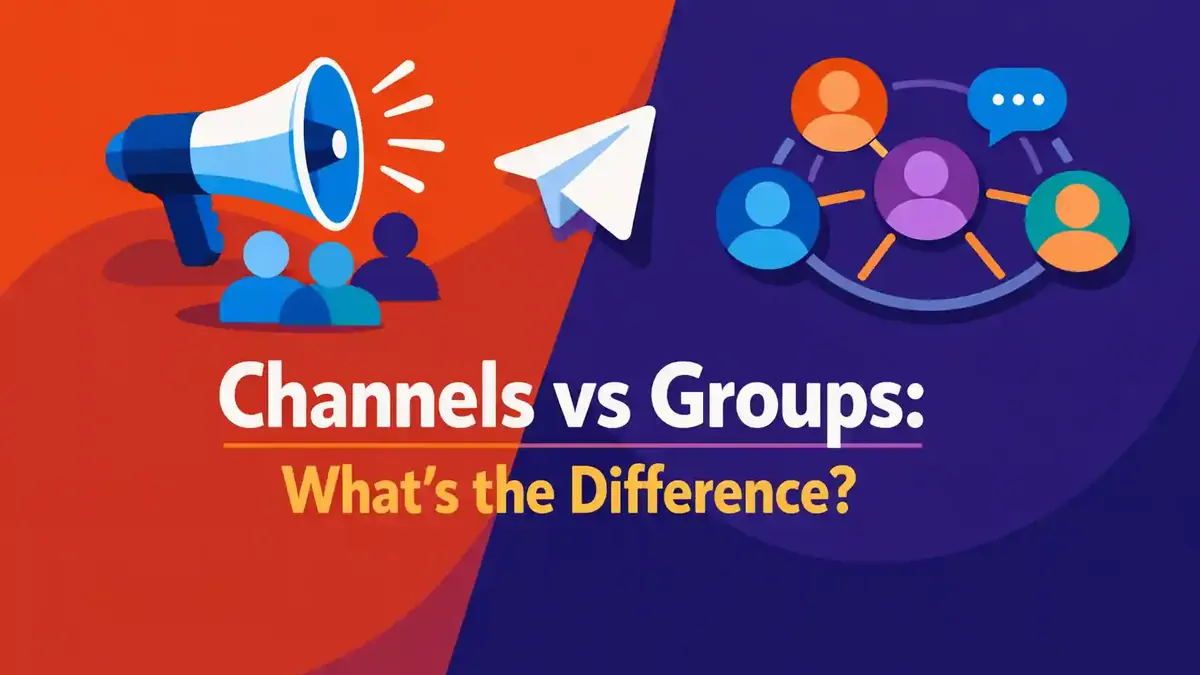
A Telegram Channel is used to send messages to a large audience. A Telegram Group is used to let members talk to each other. In a channel, mainly the owner and admins publish. In a group, members can usually post messages, ask questions, and respond to each other.
Do you want to share news, offers, or updates without a busy chat? Then choose a channel. Do you want conversations, support, collaboration, or an active community? Then choose a group. You do not always have to choose just one. Telegram lets you link a channel to a discussion group. That way, you combine a calm news feed with replies and conversations.
Below, we compare Telegram channels and groups by reach, privacy, management, interaction, and ease of use. After that, you can quickly decide which option fits your goal best.
- What is the short difference between a Telegram Channel and a Group?
- Which choice fits your goal the fastest?
- What exactly is a Telegram Channel?
- What exactly is a Telegram Group?
- Which differences between Channels and Groups matter the most?
- When is a Channel with linked Group the best solution?
- Frequently asked questions about Telegram Channels and Groups
What is the short difference between a Telegram Channel and a Group?
The main difference is who can speak and who controls the content.
In a channel, admins send messages to subscribers. Subscribers receive the content, but they cannot just place their own message between posts. That makes a channel work like a newsletter, timeline, or announcement page.
In a group, members talk to each other. They can post messages, reply, and share files, as long as the admin allows it. A group therefore works like a group chat, forum, or online community.
Telegram says groups can have up to 200,000 members. Channels can have an unlimited number of subscribers according to Telegram. That makes channels suitable for a very large audience. Still, good management matters more than the maximum number of people alone. A small active group can be more valuable than a large but quiet audience.
Which choice fits your goal the fastest?
Use this simple rule to decide quickly:
- Choose a channel when information goes from one sender to many receivers.
- Choose a group when members need to talk with each other or with your team.
- Combine both when you want clear updates and conversations.
| Goal | Channel | Group | Best choice |
|---|---|---|---|
| Share news and announcements | Very suitable | Possible, but messages quickly disappear among replies | Channel |
| Let customers ask questions | Only useful with linked replies | Very suitable | Group |
| Build a large news feed | Unlimited number of subscribers according to Telegram | Up to 200,000 members | Channel |
| Let a community talk | Limited without a discussion group | Members can participate actively | Group |
| Share course material calmly | Clear order and full history for new subscribers | Possible, but conversations may distract | Channel |
| Support and collaboration | Less suitable as the main place | Roles, replies, and conversations | Group |
| Offer updates plus replies | Can be linked to a group | Acts as the discussion group | Combination |
Still unsure? Then look at what a new member must do first. If that person mainly needs to read, a channel is usually better. If that person should ask a question or join a conversation right away, a group makes more sense.
What exactly is a Telegram Channel?
A Telegram channel is a place where you publish messages for subscribers. Think of company news, product updates, offers, market updates, lesson material, or creator posts. All publications appear in a clear timeline.
A new post is shown by default under the channel name and photo. Your personal profile does not need to be visible as the sender. You can also enable admin signatures. Then the admin’s name appears with the post. According to Telegram, that name is not a clickable link to the personal profile.
Who can post in a channel?
The owner decides which admins may publish. You can split the roles. One admin may post messages, while another admin only manages subscribers or settings, for example.
Regular subscribers cannot freely post between channel messages. That keeps the timeline calm and clear. Do you want replies under posts? Then you can link a discussion group. A button will then appear under channel posts so subscribers can open the replies.
How large can a Telegram Channel grow?
Telegram describes channels as a way to broadcast to an unlimited audience. That is a clear difference from groups, which support up to 200,000 members.
A high maximum does not mean growth happens automatically. You still need useful content, a recognizable topic, and a good invitation path. So make it clear first why someone should subscribe. Explain what content you share, how often you publish, and what the subscriber gets out of it.
If you want to support your first reach after setting up your channel, you can add targeted Telegram channel and group followers. Make sure your profile, description, and first posts are ready first. New visitors must understand right away why your channel is useful.
What do new subscribers see?
New subscribers can view the full message history of a channel. That is useful for guides, lessons, and recurring updates. So someone who joins today can read older posts too.
Pin important information and use clear titles. That way, new subscribers do not have to search for long. You can start with a welcome message, an overview of topics, and links to important posts.
If you delete a post as an admin, Telegram says it disappears for all subscribers. So be careful about which post you remove. If needed, also keep important text outside Telegram.
Which numbers does a channel have?
Every channel post has a counter for views. Views of forwarded copies count too. Telegram says the counter is an approximation. So use it to spot trends, not as a perfect list of unique people.
For example, you can compare which topics are viewed often, when reach increases, and which posts are forwarded. Do not look at just one post. A series of ten or twenty posts gives a fairer picture of your performance.
If you want posts to get extra visibility over a longer period, Telegram auto views for 30 days can be a possible add-on. At the same time, keep watching content signals such as replies, clicks, forwarded posts, and new subscribers.
What is the difference between a public and private channel?
A public channel has a username. People can find the channel through Telegram search and open it with a public address. That helps with discoverability and makes sharing easier.
A private channel is only accessible through an invitation or invitation link. This is better for a paid course, internal updates, or a clearly defined customer group. Treat an invitation link like an access key. Do not share it publicly if the content must stay private.
Do you want to get started yourself? Then read how to create a Telegram channel. Before the first post, decide on the topic, target audience, and type of messages you want to publish.
What exactly is a Telegram Group?
A Telegram group is a conversation with several people. Members can talk to each other, reply, mention people, and share media. That makes a group suitable for support, collaboration, and building a community.
The owner can decide what members may and may not do. You can assign admins and set their permissions separately. You can also pin important messages so rules, explanations, and frequently asked questions stay more visible.
Who can post in a group?
By default, a group is made for participation by members. An admin can limit permissions. For example, you can prevent regular members from posting links, media, or certain file types. You can also decide who may invite new members.
The right settings depend on the goal. A small friends group needs few rules. A public support group with thousands of members needs clear rules, several admins, and strong spam protection.
How large can a Telegram Group grow?
Telegram groups support up to 200,000 members. For most businesses, teams, and communities, that is more than enough. A group with many members does, however, require more management over time.
More members often means more questions, repetition, and possible spam. So create fixed rules. Pin answers to common questions and divide tasks among admins. That keeps the group useful as it grows.
If you want to help a new community get moving faster, you can also buy Telegram members. See this as support, not as a replacement for good content. A clear reason to join and active management are still needed to keep members.
Can new members see old conversations?
The admin can set how the message history works for new members. Check this setting before you have sensitive or temporary conversations.
For a public knowledge group, a visible history is often useful. New members then find earlier answers and do not have to ask the same question again. For a temporary project group, a more limited history may fit better.
What is the difference between a public and private group?
A public group can have a username and public address. People can find it and join. A private group works with invitations and invitation links.
Public is good for reach, but it requires stricter moderation. Private gives more control, but an invitation link can still be forwarded. So check regularly which links are active. Revoke a link if it starts spreading where it should not.
Do you want to look at the settings step by step? Then read how to create a Telegram group.
Which differences between Channels and Groups matter the most?
The technical differences are clear, but your choice mainly depends on the behavior you want. Should people mostly read, or mostly talk? In this table, you can see the main differences side by side.
| Part | Telegram Channel | Telegram Group |
|---|---|---|
| Main purpose | Broadcast content | Conversations and collaboration |
| Who posts messages? | Owner and approved admins | Usually all allowed members |
| Maximum size | Unlimited number of subscribers according to Telegram | Up to 200,000 members |
| Name shown with messages | By default the channel name and photo | The member’s name and profile |
| Replies | Through a linked discussion group | Directly in the conversation |
| Older content | New subscribers see the full history | Depends on the settings |
| Public discoverability | Via username and search | Via username and search |
| Private access | Through an invitation or invitation link | Through an invitation or invitation link |
| Measuring reach | A counter for each post | Conversations and activity matter more |
| Moderation | Less daily noise | More rules and active management needed |
| Best use | News, updates, lessons, and publications | Support, community, teams, and discussion |
Is a channel easier to manage?
Often, yes. Only admins publish, so you have less trouble with spam and internal conflict. You still need to create good content and answer questions elsewhere.
A group takes more daily attention. People expect replies. The admin has to remove unwanted messages, answer questions, and protect the atmosphere. That extra work can be valuable when conversations are the actual goal.
Which option is better for privacy?
Neither option is private by default. A public channel and public group can be found. A private version limits access, but members can still copy, forward, or capture content.
So do not share sensitive information just because a place is called private. Check who the admins are, which invitation links are active, and which personal details are visible.
Your username also affects your discoverability and privacy. Read how to change your Telegram username if you want a clearer or less personal name.
Which option is cheaper?
Telegram does not charge a separate basic price for creating a normal channel or group. The real costs are usually time, moderation, content, and any external tools.
A channel requires a fixed publishing schedule. A group also requires admins and time for support. So do not only decide what is technically free, but also how much work you can handle each week.
When is a Channel with linked Group the best solution?
Many organizations need both publishing and discussion. Telegram therefore lets you link a discussion group to a channel.
The channel remains the official timeline. A reply button can appear with posts. Replies go into the linked group and the related thread. That keeps official posts clear while still letting readers respond.
This combination works well for:
- a news channel with reader replies;
- a course with a separate place for questions;
- a brand with product updates and community support;
- a creator with publications and conversations with followers;
- an event with official announcements and a chat for participants.
Make it clear on both places what they are for. For example, write in the channel description that replies belong in the discussion group. In the group, state that official updates always come from the channel.
This setup gives you more control than one busy group. Important posts stay easy to find. At the same time, members get a clear place for questions, comments, and conversations with each other.
How do you set up the right Telegram environment?
Do not start with all the settings at once. First, write down this sentence:
This Telegram place helps [target audience] achieve [result] through [type of content or conversation].
After that, you can make the main choices:
- Choose a channel, group, or combination.
- Decide whether the place will be public or private.
- Choose a recognizable name, photo, and description.
- Split admin rights and give no one more rights than needed.
- Create rules for content, replies, and behavior.
- Prepare three to five useful starter posts.
- Test the invitation link with another account.
- Check what new members or subscribers actually see.
Which settings do you check before launch?
Check who may post, who may add members, who may delete messages, and who may appoint new admins. Also look at public usernames, invitation links, and the visibility of message history.
In a group, also check which media and links members are allowed to send. In a channel, decide whether admin signatures are visible and whether replies through a discussion group are allowed.
Test everything with a second account that has no admin rights. As the owner, you see different buttons and options than a regular member or subscriber.
Which mistakes do admins often make?
Using a group as a quiet news list
If members are not allowed to talk, but still expect a group, that feels confusing. A channel is usually clearer for one-way communication.
Starting a channel while customers expect answers
A channel without a place for replies can feel distant. Add a discussion group or a clear support link if questions matter.
Giving too many admins full rights
Give each admin only the rights they need. That reduces the risk of mistakes, unwanted changes, and misuse.
Not adding rules or a welcome post
New members need to know what the purpose is. Pin a short welcome message with the topic, the rules, and important links.
Sharing a private link everywhere
A private place stays manageable only if invitation links are used carefully. Revoke old links when needed and create a new link for a new campaign.
Only looking at the member count
A large group without useful conversations has little value. A channel with many subscribers but little reach does not help much either. Look at relevant activity, such as read messages, useful replies, returning members, and reached goals.
Which screenshots make this choice immediately clear?
Add two annotated screenshots to the article to make the difference visible right away.
Screenshot one: show the info screen of a channel. Mark the channel name, the number of subscribers, the public or private status, and the admin options. Add a short text: “Here, admins publish to subscribers.”
Screenshot two: show the info screen of a group. Mark the number of members, the members’ permissions, the admins, and the message history. Add a short text: “Here, allowed members can talk to each other.”
Use test data for these images. Hide phone numbers, names, links, and profile photos of real people.
Frequently asked questions about Telegram Channels and Groups
Can anyone create a Telegram Channel or Group?
A regular Telegram user can create a channel or group. The exact buttons differ a little by device and version. You usually find the option under the new message icon.
Do Channels and Groups work the same on iPhone and Android?
The main functions are the same. The menu position may differ. On iPhone, you often start through the new message icon. On Android, you usually see a pencil button in the chat list.
Can members reply in a Telegram Channel?
Not with free messages between channel posts. The owner can link a discussion group. Subscribers can then open the replies for a channel post.
Can I link an existing Group to a Channel later?
Yes, a channel owner can link a group as a discussion group, as long as the required admin rights are available. After that, check with a test account how the replies are displayed.
Is a public Channel better for growth than a private Channel?
A public channel is easier to find and share. A private channel gives more control over access. The best choice depends on your goal, not only on the growth you want.
Can people see my phone number in a Channel or Group?
That depends on your privacy settings in Telegram and the relationship between the accounts. A public username makes you findable without your number automatically being visible. Check under Privacy and Security who may see your phone number.
Can I turn a Telegram Group into a Channel later?
A group and a channel have different functions. You cannot simply convert all conversations into a normal channel timeline. You can, however, create a new channel and then link the existing group as a discussion group.
Can you use a Telegram Channel and Group at the same time?
Yes. This is often the best solution for organizations that want official updates and conversations. Use the channel for important publications and the group for questions, replies, and contact between members.
Which Telegram option fits you best now?
Choose a channel if you mainly want to send clear messages to readers. Choose a group if members mainly need to talk to each other. Choose both if you need official updates and an active community.
Start small and make the purpose clear. Test the settings with a second account. Only add extra admins, invitation links, and features when the basics work well. That way, you build a Telegram environment that can grow without losing clarity and usefulness.


