

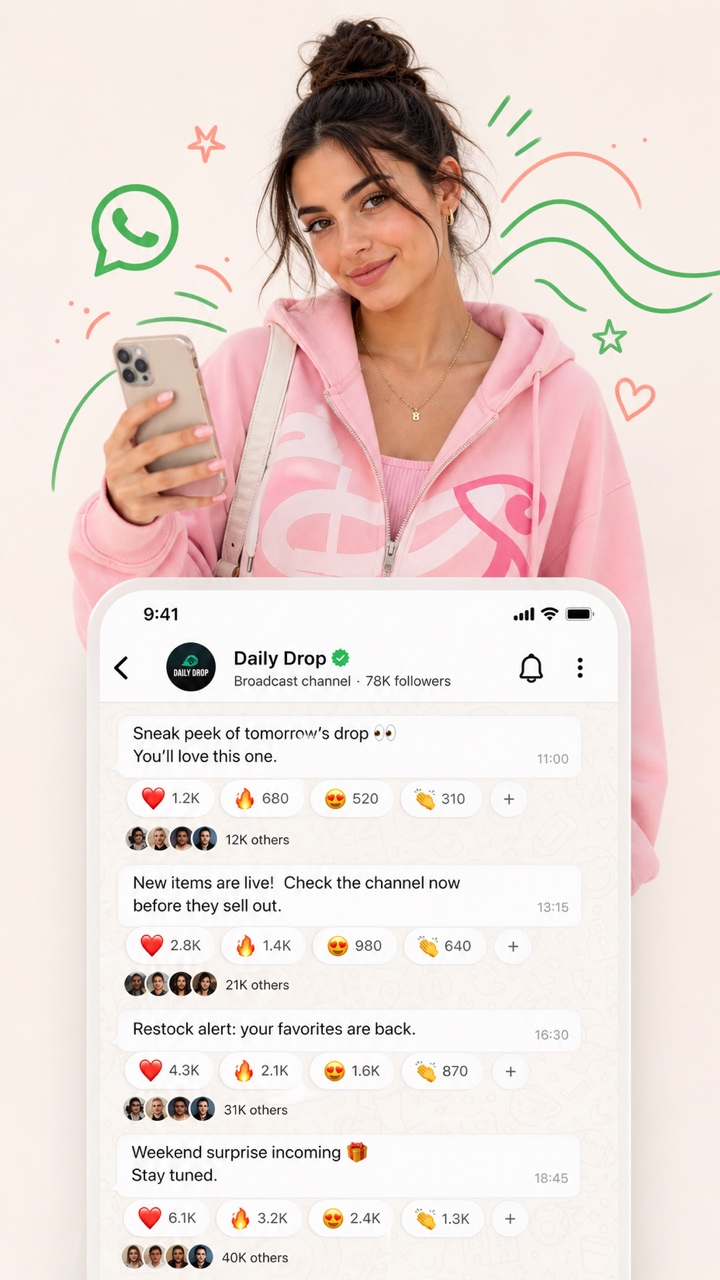
Buy WhatsApp Channel Reactions

Add emoji reactions to your WhatsApp channel post quickly and easily. Safe delivery starts automatically.
- Real reactions for your WhatsApp channel
- Automatic delivery
- Your post looks popular right away
Buy WhatsApp Channel Reactions for updates that stand out
A WhatsApp channel is built for short, direct updates. You post news, an offer, or an announcement, and followers can respond with one tap. When an important message has no reactions yet, it can attract less attention than it deserves. With WhatsApp Channel Reactions buy, you give that update immediate, visible response.
You choose which emoji fits the message. A thumbs up works well for general positive news, a heart fits a milestone or personal message, and a laugh suits lighthearted content. For surprising news, the wow reaction may be a better match. The reaction should support the message; that makes the whole update feel more convincing.
SocialKings offers packages from 10 to 200 reactions. That means you can give a small update a modest push or help a major post stand out more on a larger channel. The order is linked to the public channel update you provide.
Why reactions say more than views alone
Views show that an update has been opened. A reaction shows that someone felt something about it. That makes emoji a compact but powerful signal. New visitors browsing through a channel can more quickly see which posts are drawing appreciation, excitement, or surprise.
For brands, that can be useful for a product launch, discount campaign, or opening of a new location. Creators use reactions for a video, a release, or personal news. Sports, entertainment, and news channels can choose the emoji that reflects the character of the update.
Use reactions selectively. If every small announcement has exactly 200 hearts, the difference between regular and important content disappears. A few well-chosen updates with fitting numbers tell a more believable story than the same boost on every post.
Choose the reaction that fits the message
The like reaction is the safest choice for general announcements, tips, and updates. Love fits better with positive news, thank-yous, achievements, and content with an emotional tone. Use Laugh only for humor; on a serious post, that reaction can come across the wrong way.
Wow works for a striking reveal, a record, or a before-and-after result. Sad should only be used in a suitable sensitive context. Pray can fit support, gratitude, or a request. With Mixed, you get variety when one dominant emotion is not needed.
Read your message once more before ordering, as if you were an outsider. Which reaction would a real follower most likely choose? That is usually the best option. Think not only about what stands out visually, but about what feels logical under the text, image, or video.
How many reactions fit your channel?
For a smaller channel, 10 or 25 reactions is often enough. The update gets visible life without making the ratio to your audience feel odd. Fifty reactions suits a channel that is already viewed regularly or a post that is shared externally.
Packages of 100 or 200 are intended for larger channels and important campaigns. Look at the normal number of views and reactions on earlier updates. A modest channel with only a few dozen views usually does not need two hundred reactions.
It is better to build up per important update. For example, you can choose love for a product launch and likes for an informational follow-up post. That creates variation that matches the content, instead of a row of posts with exactly the same response.
Make the update stronger on its own
Start with the main message. WhatsApp users scan quickly and often only see part of the text in their overview. So do not place the date, benefit, or news at the very end. A short opening line makes it clear why someone should keep reading.
Use one clear call to action. Do not ask people at the same time to buy, react, share, sign up, and fill out a form. Choose the most important next step and make the link easy to recognize. Reactions provide visible appreciation; a clear action helps you reach the real goal.
Do you want to grow the channel audience first? Check Buy WhatsApp Community Members when you use a community structure, or continue working with your existing WhatsApp channel strategy. Reactions belong to a specific update and do not replace a member base.
Using reactions around a complete channel campaign
A single update can perform well, but a short series often works better. Start with an announcement, then publish the main message, and finish with a reminder or result. Give the central update extra reactions in particular, so visitors immediately see where the focus lies.
Before publishing, note what the goal of the message is. Do you want people to view a product, remember a date, or sign up? Choose the emoji and text based on that goal. A heart can feel warm, but a like is sometimes clearer for practical information.
View the update on a small phone screen. Long lines, multiple links, and large blocks of text can quickly make a channel post feel heavy. Break up the information and place the main link close to the call to action. The visible reactions draw attention; a clear structure makes that attention useful.
After a campaign, compare which types of posts received real reactions and clicks. Use that insight in your next update. That is how you build a recognizable channel style, and bought reactions become support for better content, not the only sign of activity.
Common mistakes with channel reactions
Do not automatically choose the most eye-catching emoji. A laughing reaction under serious company news or a sad reaction under an offer can change the message. Meaning comes before color or size.
Do not order based on the prestige you want without looking at views. Reactions are a visible part of the total update. If the number differs extremely from other signals, the message becomes less convincing.
Do not delete or replace the update once the order has started. Check the text, link, image, and emoji in advance. A quick final check prevents the reactions from ending up on the wrong or incomplete version.
Select the right update
When you have a series of posts, choose the update that has the most value on its own. A teaser without a date or link is rarely the best destination. The main post with the full message can remain relevant longer and is therefore more likely to deserve extra visible reactions.
If needed, make a screenshot of the update and the current figures before ordering. That helps you calmly assess what changed later and gives support clear context if the wrong link or variant was used.
How to order whatsapp channel reactions buy
First choose a package from 10 to 200. Then copy the public WhatsApp channel or update URL and check that it is also accessible outside your own account. Place the link in the order field and complete the payment.
Use the public link to the correct WhatsApp channel or intended update, exactly in the format requested by the order field. Before paying, check that the correct content is visible.
Choose the emoji and quantity carefully. The service supports up to 200 reactions per order and is focused on the specified or most recent public channel update.
Keep your order number until the order has been fully completed. That allows support to find the correct order faster if you have a specific question.
Frequently asked questions
Which reactions can I choose?
You can choose from Like, Love, Laugh, Wow, Sad, Pray, or a mixed variant.
How many reactions can I order?
The packages are 10, 25, 50, 100, and 200 reactions.
Can I change the emoji later?
Choose carefully before completing the order; after it starts, a reaction variant cannot simply be changed.
Does this work for regular WhatsApp messages?
No. The service is intended for public WhatsApp channel updates that can be reached through the correct link.
Will I get more channel members too?
No. This product increases reactions on an update, not the channel’s member or follower count.
Ready for a stronger first impression
Give your most important WhatsApp update the reaction that fits. Choose the right emoji, keep the number in proportion to your channel, and check the link before ordering.
| Response | Like 👍, Love ❤️, Laugh 😂, Wow 😮, Sad 😢, Pray 🙏, Mixed |
|---|---|
| Quantity | 10, 25, 50, 100, 200 |
Only logged in customers who have purchased this product may leave a review.
We deliver boosts for all social media
Grow quickly on social media – safely, smartly, and without stress
We are a team of social media experts with more than 15 years of experience in online growth. We have helped thousands of customers with TikTok, Instagram, YouTube, and Spotify promotion – safely, quickly, and reliably. Our services are 100% anonymous, are delivered automatically 24/7, and are tested for results. With us, you choose quality, customer friendliness, and transparent service.
📲 Buy TikTok followers, order Instagram likes, or grow Spotify streams? With SocialKings, you can arrange it safely and instantly.
Related products




Reviews
There are no reviews yet.