

What is Stitch on TikTok?

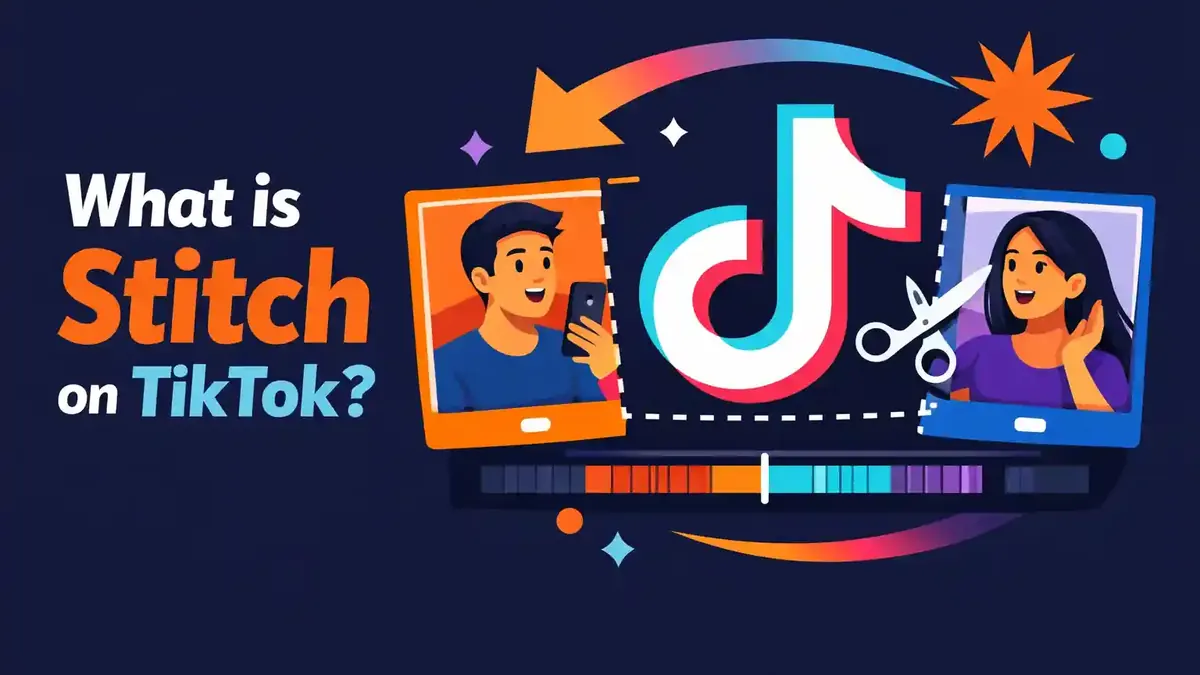
Stitch on TikTok is a feature that lets you combine a short clip from someone else’s video with a new video of your own. First, the chosen clip plays. Then your reaction, explanation, or addition follows. The original creator must have allowed Stitch.
What does Stitch on TikTok mean exactly?
The English word “stitch” literally means to fasten things together. On TikTok, you place a short part of an existing video before your own new recording.
For example, someone asks a question in a video. You choose the clip where that question is heard. Then you record your answer. Viewers first see the question and then your explanation.
TikTok treats the original video and your Stitch as two separate posts. Your Stitch appears on your profile. The original video stays on the original creator’s profile.
You cannot Stitch every video. The creator must have enabled the feature. Privacy, age, and the video’s own settings also decide whether Stitch is available.
Is a Stitch a copy of the whole video?
No. You only choose the part TikTok makes available. Then you add your own video. The goal is to respond, explain something, or build on the original context.
Do not download a full video yourself and upload it again later. Use the official Stitch feature when the creator allows it. That way, the source stays clear and you use the video as intended.
Where does a Stitch appear?
The new Stitch appears on the profile of the person who made it. The original video stays on the original creator’s profile.
The privacy settings of the new creator decide who can view the Stitch, reply to it, or interact with it. Those settings do not have to match the settings of the original video.
How do you make a Stitch on TikTok?
You make a Stitch through the share menu of a video. Follow these steps:
- Open the TikTok video you want to use.
- Tap Share on the side.
- Tap Stitch.
- Choose the clip you want to use.
- Tap Next.
- Choose the maximum length for your own video.
- Tap Record and make your part.
- Tap Continue.
- Add text, filters, voice, stickers, or effects if that helps.
- Tap Next to set the caption, hashtags, tags, location, link, and privacy.
- Tap Post or save the video as a draft.
TikTok may change the names and placement of buttons. The main steps stay the same: open Share, choose Stitch, select a clip, record your part, and publish the video.
Image tip 1: show a screenshot of the share menu with clear markings. Highlight the Stitch button and show where it sits among the other share options.
Image tip 2: show the screen where you choose the clip. Mark the start position, the end position, and the Next button.
How do you choose a good clip?
Choose only the part needed to understand your reaction. A short question or clear statement often works better than a long clip without a clear focus.
Always watch the full original video first. That helps you avoid taking words out of context. A short sentence can mean something different if the rest of the video is missing.
Your own part should then add something real. Give an answer, check a claim, share an example, or show a different perspective. Do not just repeat what the creator already said.
Can you save a Stitch as a draft?
Yes. TikTok shows Drafts as an option on the publishing screen. A draft is only visible to you on your profile until you publish it.
Be careful: drafts can be stored locally on your device. So do not delete TikTok without reason and do not switch devices without preparation. If in doubt, read why TikTok videos can get stuck in processing.
Why don’t you see the Stitch button?
Not every TikTok video has Stitch enabled. The creator can turn the feature off for the whole account or just for that one video.
Other possible reasons are:
- the creator has a private account;
- your age settings do not allow Stitch;
- the specific video may not be reused;
- you are using an outdated version of the app;
- TikTok is testing a different menu layout;
- there is a temporary app error.
An account must be public before others can get permission to Stitch videos. With a private account, reuse options are therefore more limited.
Can you turn on Stitch for someone else’s video?
No. Only the original creator controls permission for their own video. Never ask for login details and do not try to bypass the setting.
You can politely ask the creator whether Stitch was deliberately disabled. The creator is not required to turn the feature on for you.
Does clearing the cache help if the button is missing?
Clearing the cache can help if TikTok shows an old or frozen menu. It does not change the original creator’s privacy setting.
First update the app. Then test another public video that you know allows Stitch. After that, read what clearing TikTok cache actually does before you use storage options.
Who can Stitch your TikTok videos?
TikTok lets creators choose who may use their content. With a public account, you can usually choose between:
- Everyone, if you want all TikTok users to be able to Stitch your videos;
- Friends, for followers whom you also follow back.
You can also turn Stitch off for a single video. TikTok may group these options under content reuse. The exact names can differ by app version.
How do you change the general Stitch setting?
Use this path:
- Tap Profile at the bottom.
- Open the menu.
- Choose Settings and privacy.
- Tap Privacy.
- Find Content reuse or Stitch.
- Choose who can use your content.
Also check each individual video. A single video setting can be more limited than the general setting for your account.
How do you turn off Stitch for one video?
Open your own video. Tap the three dots or More options. Choose Privacy settings and turn off content reuse or Stitch.
For a new video, you can review this choice on the final publishing screen. Check More options before you tap Post.
Do teenagers have the same choices?
Not always. TikTok uses stricter privacy settings for users under 18. The available audience depends partly on age and on the account’s privacy.
Use your real date of birth. Do not try to bypass age limits with another account or a false date of birth.
Which terms are similar to Stitch?
| Term or signal | Meaning | What you do with it in practice |
|---|---|---|
| Stitch | A clip from an existing video followed by your new video | Use this for a focused reaction or addition |
| Duet | The existing video and your video play in a combined layout | Use this for a simultaneous reaction or performance |
| Repost | You recommend the existing video without making a new recording | Use this when you do not need to add anything substantive |
| Share | You send the video to a person, group, or other app | Use this to forward a video to someone directly |
| Download | You save a video file if the creator allows it | Use this for offline viewing, not for unauthorized reposting |
| Quote or tag | You mention a creator or video in your own context | Use this when Stitch is not needed or not available |
The main choice is simple. Do you want to respond with a new video part after a short clip? Then choose Stitch. Do you want to appear on screen at the same time as the original video? Then Duet is usually better.
What is the difference between Stitch and Duet?
With Stitch, the selected clip plays first and then your recording starts. With Duet, the original video and your video play at the same time in a combined layout.
Stitch is useful for:
- answering a question;
- explaining a statement;
- correcting a mistake;
- finishing a story;
- adding a practical example.
Duet is useful for:
- reacting at the same time;
- singing or performing along;
- following a dance;
- showing a before-and-after comparison;
- giving direct visual commentary.
Both features create a new post on your account. Both also require permission through the original creator’s settings.
Is Stitch better than Duet?
No. They are two different forms of reuse. Choose the feature that makes your story clearest.
A Stitch works well when you want to show one important clip first and then respond calmly. A Duet works better when viewers need to see both images at the same time.
What does a Stitch say about your content?
When someone Stitched your video, that person found one part useful as a starting point for new content. That can mean you shared a good question, a striking claim, or a relatable situation.
For creators, this can be valuable feedback. Look at which clip was chosen and which reactions follow. Your topic may be raising questions that you can answer in a next video.
A Stitch can also create a bigger conversation around your video. The new creator brings their own audience and context. That can help more people discover the original topic.
Does Stitch guarantee extra reach?
No. TikTok uses many different signals to decide recommendations. The quality of both videos, watch time, comments, the topic, and whether the content is suitable for the For You feed can all matter.
So do not enable Stitch only because you expect a guaranteed number of views. Use the feature when reuse fits your content and your privacy choices.
If you want to grow your account further, also focus on the quality and consistency of your videos. Services such as buy TikTok followers or buy TikTok views do not change permission for Stitch. Good content and real interaction are still needed to keep viewers watching.
Do you get the likes from someone else’s Stitch?
No. The new Stitch is a separate post on the profile of the person who made that Stitch. The likes and comments on that post belong to that account.
Your original video still exists separately. The link between the videos helps viewers recognize the source, but the statistics are not merged.
What does a Stitch not mean?
A Stitch does not automatically mean that someone agrees with you. The new creator may support, add to, criticize, or joke about your message.
A Stitch also does not mean the other creator may copy your whole video or use it everywhere outside TikTok. Permission for a feature inside TikTok is not automatically permission for every other use.
In addition, a Stitch does not prove that someone watched your profile closely. The person may have found your video in a feed and tapped Share right away.
Is every critical Stitch harassment?
No. A respectful, substantive response can simply be part of a normal conversation. A threat, targeted harassment, or privacy violation is something else.
If you believe a Stitch violates the Community Guidelines or your privacy rights, use TikTok’s official reporting path. Do not share sensitive information about the creator yourself.
When is Stitch useful for you?
For regular users
Use Stitch to respond clearly to one clip. Keep your reaction friendly and check the context. Do not cut a sentence so much that the meaning changes.
A short and clear response usually works better than a long story without focus. Say right away why you are using the clip and what you want to add.
For creators
For example, make a series of answers to relevant videos in your niche. Add real knowledge, experience, or a new example. A strong original part is still more important than the borrowed clip.
Plan your post for when your audience is active. The best time to post a TikTok can help with planning, but good timing will not make a weak response strong.
If you are going live around the time you publish, you can discuss the topic from the Stitch further with viewers. buy TikTok livestream views is a separate service and does not affect whether a video may be stitched.
For businesses
A business can use Stitch to respond to a customer question, product use case, or industry claim. Always check the source, the facts, and the rights. Also make it clear when you are discussing your own product or a commercial partnership.
Keep sensitive customer information out of frame. Ask for extra permission when the situation calls for it, even if the Stitch button is technically available.
What mistakes do people often make with Stitch?
They choose a clip that is too long or unclear
Start with exactly the part you need. Viewers should quickly understand what you are reacting to. Remove anything that is not needed to follow your answer.
They add too little new value
A Stitch without its own value quickly feels like repetition. Give an explanation, share experience, show proof, or come up with a creative response.
They take words out of context
Watch the entire original video before choosing a clip. A short part can seem to mean something else without the rest of the video.
They forget their privacy settings
Check who can see your new Stitch and who may reuse your own videos. These are separate choices that you should review independently.
They think the original creator controls their post
Your Stitch is on your profile and follows your privacy settings. The original creator can control reuse of their own content. Linked content can also be affected if the source disappears.
They use unreliable download apps
Prefer the built-in Stitch feature. Never give your TikTok login details to external apps that promise extra features.
Can you delete or manage a Stitch?
You can delete your own Stitch just like a normal TikTok post. Open the video, tap More options, and choose Delete. TikTok may temporarily keep deleted posts in the Recently deleted folder if that feature is available for your account.
The original creator can turn off permission for future Stitches. TikTok also offers ways to manage Stitch videos linked to your own content.
Be careful with options to delete all linked posts. Such an action can have major consequences for the original video and related Duets or Stitches.
Read every confirmation screen before you delete anything. Save a copy of your own original video first if you think you may need it later.
Frequently asked questions about Stitch on TikTok
What should I know first about Stitch?
Stitch uses a clip from an existing TikTok video as the start of your new video. The original creator must allow this feature.
Does Stitch work on iPhone and Android?
Yes. On both device types, the path goes through Share and Stitch. The button placement can differ by device and app version.
Is Stitch available for every account?
No. Account privacy, age, region, app version, and the settings of the original video can limit the feature.
Which Stitch setting is the most important?
Check who may reuse your videos and whether Stitch is enabled for the individual video. Your account must be public if you want to give others permission to Stitch your videos.
Can I make a Stitch from a private video?
Normally not through the public Stitch feature. TikTok requires a public account before others can get permission to use Stitch.
Can I use only the original audio?
Stitch is meant for a video clip followed by your own recording. Which audio and editing options are available depends on the video and the current TikTok editor.
Can the creator stop me from posting a Stitch?
Yes. The creator can turn Stitch off for the account or for a specific video. You cannot change or bypass that choice yourself.
Will my Stitch stay up if the original video disappears?
Linked content can be affected if the source is removed or if the creator changes reuse settings. TikTok may change the exact behavior. So save a copy of your own recording if it is important to you.
Choosing Stitch in practice
Use Stitch when you want a short clip from an existing TikTok video to be followed by a new recording of yourself. That creates a separate post on your own profile.
The creator of the original video decides whether Stitch is allowed. A public account, age rules, and reuse settings all play an important role.
Choose a short and clear clip. Then add real value with an answer, example, explanation, or different perspective. Always check the full context, privacy, and rights.
Choose Duet when both videos need to be on screen at the same time. Use Repost when you only want to recommend an existing video and do not need to record anything new.


