

How to remove all Instagram followers quickly and smartly

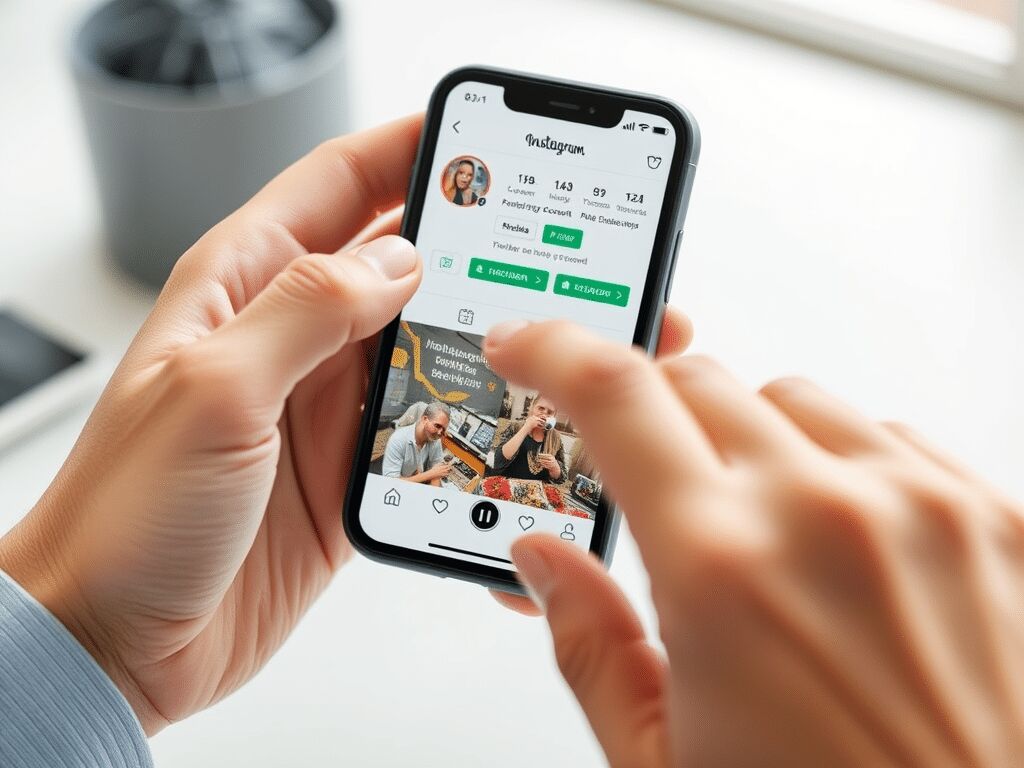
Do you want to delete all your followers on Instagram? The most important thing to know straight away is this: Instagram does not have a button that removes all your followers at once. You can remove followers manually, block them, report them or make your account private. For larger cleanups, there are external apps, but you need to use them carefully because Instagram can temporarily limit your actions if you do too much in a short time.
If you mainly want to get rid of strangers, bots, fake accounts or people you no longer want viewing your content, you can clean up your account quite effectively. The best approach is to first decide what you actually want to achieve: remove someone, block someone, better hide your followers or rebuild your whole account in a cleaner way.
Why remove Instagram followers?
A large number of followers can look good, but not every follower helps your account. Sometimes your follower list includes profiles that never view anything, bots, accounts that send spam or simply people you do not want seeing your photos, reels or stories.
Especially if you want to use your profile more seriously, for example for a business, creator account or collaborations, a clean follower list is often better than a large but messy one.
Common reasons to remove Instagram followers include:
- You bought fake followers in the past and want to start again with a cleaner list.
- You see many empty profiles, bots or suspicious accounts among your followers.
- Your engagement feels low because many followers never comment, like or watch.
- You do not want certain people to keep seeing your posts, reels or stories.
- You want to make your profile more organised before you start posting more actively.
- You are preparing your account for a more professional look.
Removing followers is not only useful for large accounts. Even on a personal profile, it can feel good to have more control over who can view your content.
Remove an Instagram follower through the app
The safest way to remove an Instagram follower is through the Instagram app itself. You do not need an extra app for this, and the person does not receive a notification that you removed them.
How to remove one follower on Instagram
- Open the Instagram app.
- Go to your profile by tapping your profile photo in the bottom right.
- Tap Followers.
- Find the person you want to remove.
- Tap Remove next to their name.
- Confirm your choice.
Instagram does not send a notification to the person you remove. They will usually only notice if they visit your profile and see that the button shows they can follow you again.
If you want to check the official explanation, you can also visit the Instagram Help Centre page about removing followers.
What happens after you remove a follower?
After removal, that person no longer follows you. If you have a private account, they can no longer see your posts, reels and stories unless you approve a new follow request. If you have a public account, they can still view your public content and follow you again unless you block them.
That difference matters. Removing is useful if you quietly want to take someone off your follower list. Blocking is better if you really want to stop someone from easily finding or following your profile again.
Can you undo removing a follower?
Not with one button. If you remove someone by mistake, that person has to follow you again. If you have a private account, you need to accept their follow request again. You can, of course, send them a message if it was an accident, but Instagram does not have a restore button for removed followers.
Can you delete all Instagram followers at once?
No, Instagram has no official feature that lets you remove all followers at the same time. This means you cannot press one button and empty your entire follower list.
In practice, you have three options:
| Option | When is it useful? | What should you watch out for? |
|---|---|---|
| Remove manually | When you want to remove specific people, bots or strangers. | It takes time with a large follower list, but it is the safest option. |
| Block | When someone bothers you or should no longer have access to your profile. | Blocking is clearer and stricter than removing. |
| Use an external app | When you want to select or analyse many followers. | Be careful with apps that ask for your password or perform many actions at once. |
If you really want a fresh start, it is sometimes better to temporarily make your current account private, calmly remove unwanted followers and only then start posting actively again. Creating a completely new account is also possible, but you may lose your existing username, messages, reach and recognisability if you do not move everything carefully.
Remove Instagram followers in bulk with an app
Many people who want to remove numerous followers at once search for a bulk removal app. There are apps for iOS and Android that let you view followers, filter them or sometimes perform several actions at the same time.
Still, you need to be careful with this. Instagram does not want accounts to behave unnaturally. If you remove, block, unfollow or perform many other actions in a short time, Instagram may temporarily limit your account. You may sometimes be unable to follow, unfollow, remove or like for a while.
Popular apps people use to manage followers
These apps are often mentioned for viewing followers, people who unfollow you or inactive accounts:
- FollowMeter, often used to see who follows you, who does not follow you back and how your follower list changes.
- Followers & Unfollowers, particularly well known among Android users who want to quickly see who they follow and who does not follow them back.
- Unfollowers & Followers Track, used to view changes in your followers and accounts that no longer follow you.
Always check carefully what an app actually does before you log in. Do not give your Instagram details to unknown apps too readily. If an app is unclear, has many poor reviews or promises that everything runs fully automatically, it is usually wiser to avoid it.
A safer way to remove many followers
If you want to get rid of many followers, it is better to do it in small rounds. For example, start by removing the most obvious bots and empty profiles. Then wait a little before continuing. This gives you more control and reduces the chance that Instagram will temporarily limit your actions.
A practical order often works best:
- Make your account private if you do not want removed people to follow you again immediately.
- Go through your follower list and remove obvious spam profiles.
- Block accounts that bother you or show suspicious behaviour.
- Wait a while before starting another large round.
- After a few days, check whether your follower list feels calmer and more relevant.
Remove or report a fake account on Instagram
Fake accounts can be annoying. They sometimes send spam, view your stories, leave strange comments or pretend to be someone else. If a fake account follows you, you can remove, block or report that account.
How to block a fake account
- Go to the profile of the fake account.
- Tap the three dots in the top right.
- Choose Block.
- Confirm your choice.
After you block it, that account can no longer follow you, easily view your profile or send you messages from that account. Instagram provides more information in the Help Centre page about blocking on Instagram.
How to report a fake account
- Open the profile of the account.
- Tap the three dots in the top right.
- Choose Report.
- Follow the steps Instagram displays.
Reporting is particularly sensible if the account pretends to be you or someone else, spreads spam, attempts fraud or sends inappropriate messages. You can find more information in the Instagram Help Centre page about reporting.
Remove, block or report: which should you choose?
| Action | What does it do? | Best choice when |
|---|---|---|
| Remove | The person no longer follows you. | You want to quietly remove someone from your follower list. |
| Block | The person can no longer follow or contact you normally. | Someone bothers you or keeps coming back. |
| Report | Instagram checks whether the account breaks the rules. | It involves spam, fraud, impersonation or abuse. |
Hide, limit or remove followers: which is better?
Sometimes you do not need to remove someone straight away. You may only want to be less visible, make your follower list less public or stop someone from commenting on your content. In that case, other settings may suit you better.
Make your account private
If you make your Instagram account private, only approved followers can see your posts and reels. New people first need to send a follow request. This is useful if you want more control without immediately emptying your whole account.
Keep in mind that people who already followed you before you made your account private will continue following you. If you do not want that, you still need to remove those followers manually.
Hide stories from certain people
Do you want to keep someone on your follower list but stop them from seeing your stories? You can hide your story from specific accounts through your privacy settings. This is a more subtle solution than removing or blocking them.
Restrict someone
Restricting is useful for people who leave unpleasant comments but whom you do not want to block directly. Comments from a restricted account are less visible, and messages are handled differently. It is a gentler way to get some peace.
Make your follower list less visible
Instagram does not let you completely hide your follower list from everyone in the same way as some other privacy settings. However, a private account gives you much better control over who can view your followers and content.
Unfollow someone yourself on Instagram
Unfollowing is different from removing a follower. When you unfollow, you stop following someone else. That person can still follow you unless you also remove or block them.
How to unfollow someone on Instagram
- Go to the person’s profile.
- Tap Following.
- Choose Unfollow.
- Confirm if Instagram asks you to.
This is useful if you want to clean up your own feed. If you want to decide who follows you, use the Remove button in your follower list.
Clean up Instagram without problems
A good cleanup is not only about removing followers. Also check your profile, old posts, stories, highlights, bio and the accounts you follow. This makes your account feel fresh and clear again.
Use this checklist if you want to give your Instagram a thorough cleanup:
- Remove obvious bots, empty profiles and spam accounts from your follower list.
- Block accounts that bother you or show suspicious behaviour.
- Make your account private if you want more control over new followers.
- Clean up old posts or reels that no longer suit you.
- Check your bio, profile photo and highlights.
- Unfollow accounts you no longer find interesting.
- Then start posting calmly and regularly again so your real followers know what to expect from you.
If Instagram also keeps showing you accounts or suggestions you do not want to see, you may find our guide to turning off suggestions for you on Instagram useful.
Be careful not to clean up too quickly
Instagram can temporarily limit actions if you do many things very quickly in succession. This includes removing many followers, unfollowing many accounts, giving many likes or repeatedly sending the same message. There is no useful public button that shows exactly where your limit is. That is why it is better to work calmly than to do everything at once.
If you receive a message saying that an action is temporarily unavailable, stop cleaning up for a while and try again later. Do not immediately continue through other apps, as that may actually make the problem last longer.
Grow again after removing followers
After a large cleanup, your follower count may be lower. That can feel unpleasant for a while, but a cleaner follower list is often better than a large list full of accounts that do nothing with your content.
If you want to strengthen your profile again afterwards, start with good basic content: a clear bio, recognisable posts, reels that suit your target audience and stories that show you are active. If you want extra support with your visibility, you can also look at our Instagram services.
If you removed your old fake followers and want to rebuild your account, you can take a considered look at buy Instagram followers as an addition to your own content. If you mainly want more activity on existing posts, buy Instagram likes or buy Instagram views may sometimes be a better fit. Always view this as support, not as a replacement for good content and a profile that genuinely makes sense.
Frequently asked questions about removing Instagram followers
How do you remove followers on Instagram?
Go to your profile, tap Followers, find the person and tap Remove. Then confirm your choice. The person does not receive a notification that you removed them.
How do you delete all your followers on Instagram?
Instagram has no official button for removing all your followers at once. You can remove followers manually or carefully use an external app, but doing it manually through Instagram itself remains the safest option.
Can I remove followers without them noticing?
Yes, Instagram does not send a notification when you remove someone as a follower. The person may notice if they visit your profile and see that they no longer follow you.
Can a removed follower follow me again?
Yes, if your account is public, someone can follow you again. If your account is private, that person first has to send a new follow request. If you really want to stop someone from coming back, blocking is the better choice.
What is the difference between removing and blocking?
When you remove someone, you only take them off your follower list. When you block someone, you make it much harder for that person to see your profile, follow you or contact you. Blocking is stricter.
Which app can I use to remove Instagram followers in bulk?
Apps such as FollowMeter, Followers & Unfollowers and Unfollowers & Followers Track are often used to manage followers. Use these apps carefully, check reviews and do not give your password to unknown services too readily.
Can Instagram limit my account if I remove many followers?
Yes, that can happen if you perform many actions in a short time. Instagram may then temporarily block certain actions. It is better to remove followers in small rounds and take breaks between them.
How do I remove a fake account on Instagram?
You can remove a fake account from your follower list, block it or report it. Go to the profile, tap the three dots and choose the action that suits the situation. For spam, impersonation or fraud, reporting is sensible.
Is it better to remove followers or make my account private?
That depends on your goal. If you want to get rid of specific people, remove them from your follower list. If you want more control over everyone who sees your content, make your account private. A combination often works best: make your account private first, then remove unwanted followers.
Removing followers on Instagram is sensible when you take it slowly
Removing Instagram followers is not difficult, but it helps to choose your actions carefully. You can easily remove one unwanted follower through your follower list. For bots, spam and fake accounts, blocking and reporting are often better. If you want to clean up many followers, do it calmly rather than all at once.
A clean account feels more organised, safer and more pleasant to post on. Start with the accounts you genuinely no longer want on your follower list, then check your privacy settings and rebuild your profile with content and followers that suit you better.


