

Instagram Notes: What they are and how to use them

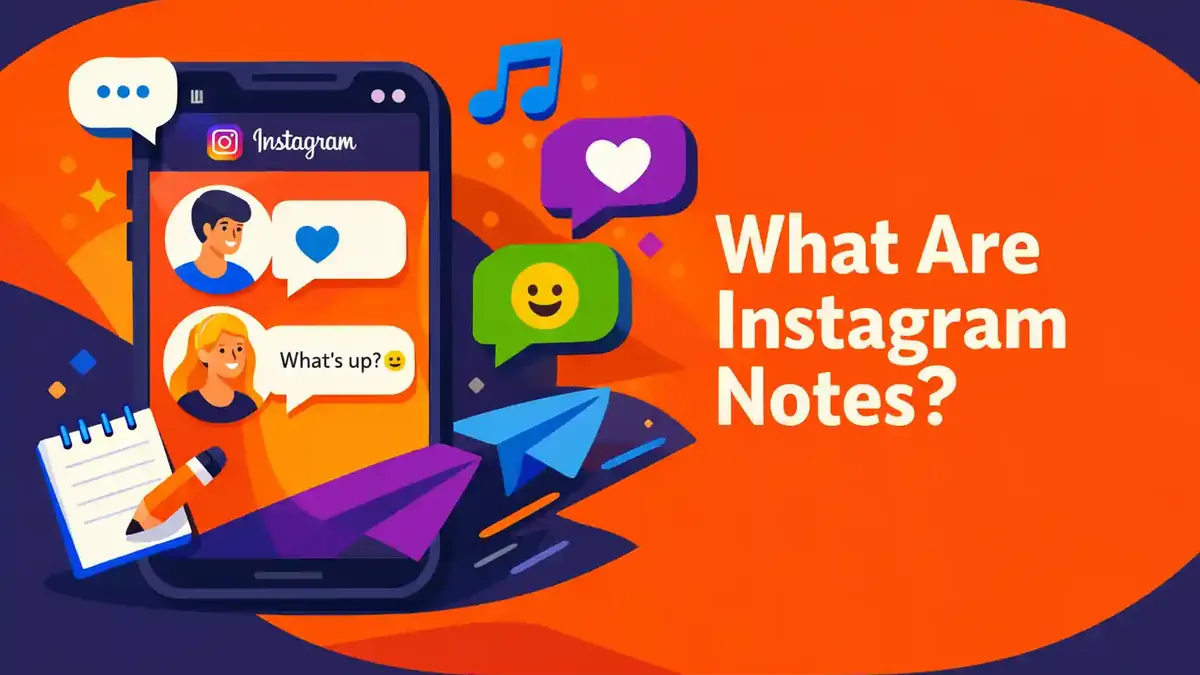
Instagram Notes are brief updates of up to 60 characters that can appear at the top of your inbox and on your profile for 24 hours. In English, this feature is often called Notes. You write a brief message, select who can see it, and share it. People in that audience can like your Note or reply to it privately.
A Note is not a Story, feed post, or group chat. The feature is designed for a brief thought, announcement, or question that can start a conversation. Meta describes the basic format as a text message with emoji. Instagram may display additional creative options, but text, audience, and the time limit are the core elements.
- What exactly are Instagram Notes?
- How do you post an Instagram Note step by step?
- Which audience can you select for a Note?
- What is the difference between a Note, Story, and Broadcast Channel?
- How can creators and businesses use Notes?
- Why can’t you see Instagram Notes?
- Which questions are frequently asked about Instagram Notes?
What exactly are Instagram Notes?
An Instagram Note is a small text message at the top of Instagram Messages. The Note appears in a speech bubble near your profile photo. It remains visible for up to 24 hours and then disappears automatically.
You can share only one active Note at a time. If you post a new Note before the 24 hours have passed, it replaces your previous Note. You can also remove a Note sooner.
Notes are intended for brief updates. Think of:
- a request for a recommendation;
- a brief announcement;
- what you are doing right now;
- an invitation to reply;
- a small reminder;
- a topic you want to discuss.
A reply to your Note arrives as a private message in your inbox. Other people cannot see that reply. Only you can see who liked or replied to your Note.
The temporary format makes Notes useful for messages that will not matter tomorrow. For information that should last, a feed post, pinned post, or profile bio is a better option.
Where can you find Instagram Notes?
Open the Instagram app and tap the Messages icon in the upper right. Above your chats, you will see profile photos with small speech bubbles. These are the active Notes from accounts in your network.
Your own profile photo appears there as well. If you do not have a Note yet, you will see a prompt to share one. Meta says your Note can also appear above your profile photo on your profile for the people you select.
The feature is available in the app for Android and iPhone. The official Help Centre also provides support for computers, although the layout may differ. For the clearest and most complete experience, it is best to use the updated mobile app.
Can’t see Notes? First, check whether you are in your regular Instagram inbox. A channel, group chat, or message request is a different screen. Notes do not appear as regular posts in your feed grid.
How do you post an Instagram Note step by step?
Follow this path to post an Instagram Note:
- Open Instagram.
- Tap Messages in the upper right.
- At the top, tap your profile photo or Your Note.
- Select the option to create a new Note.
- Type your brief text.
- Check which additional features are available in your app.
- Select the appropriate audience.
- Tap Share in the upper right.
- Open the inbox again and check your Note.
The official basic limit is 60 characters. Keep the message brief. Put the main question or key message first. A Note such as “Which series should I watch tonight?” is clearer than an incomplete sentence that runs out of space.
Use emoji only when they add something. A suitable emoji can make the tone clearer, but too many emoji take up space and can make your message look cluttered.
Read the Note once before sharing it. Check names, times, and spelling. You cannot edit an existing Note in the same way you would edit a regular document. If you post a new Note, it replaces your current one.
Which audience can you select for a Note?
Meta identifies two main audiences for Instagram Notes:
- followers you follow back;
- people on your Close Friends list.
The first group consists of mutual followers. Someone who follows you, but whom you do not follow back, is not automatically included. The second group is the list you manage yourself through Close Friends.
Check which audience is selected for each Note. Instagram may remember your previous choice or change the app layout. Never rely solely on the colour of a button.
Do you want to reach a small, carefully selected group? Use Close Friends. Our guide Delete all followers on Instagram: here’s how to do it thoughtfully and quickly explains how to create and review this list.
The people you select can see your Note. They cannot see the complete audience you selected. Even so, a Note is not a secure place for secret information. A recipient can remember the text, take a screenshot, or share it outside Instagram.
Also check regularly who follows you and whom you follow back. If you want to thoroughly clean up your account, learn how to delete all followers on Instagram. Be careful not to remove contacts you still want to keep.
How do people react to an Instagram Note?
People who see your Note can tap it. They can like the Note or send a reply. Only you can see the list of likes. To view it, tap your own active Note.
A reply opens a private conversation between you and that person. The reply does not appear publicly below the Note, so other recipients cannot see it.
This makes Notes useful for simple questions that are easy to answer. For example, ask “Which colour should I choose?” or “Who knows a good book?” Replies arrive separately, allowing you to respond personally.
Keep your message settings in mind. A reply from someone you have not spoken with before may be handled differently from a reply in an existing conversation. Also check your message requests if you are expecting a response.
A like on a Note is private as well. There is no public like count as there is on a regular feed post. A Note is therefore mainly about contact, not visible popularity.
How do you delete or replace an Instagram Note?
Tap your own Note at the top of the inbox or on your profile. Then select Delete Note. The Note will no longer be visible to the selected audience.
Do you want to change the text? You can post a new Note. Tap your Note, select Post new Note, write the new text, and share it. The new Note replaces the old one.
Deleting a Note does not undo what people have already read. Do not share an incorrect phone number, private address, or sensitive schedule with the idea that you can correct it later.
A Note disappears automatically after a maximum of 24 hours. You do not need to do anything if the information is only temporary. If you want to share something else sooner, you can replace the current Note immediately.
Which checklist helps you post a good Note?
- Choose one clear goal for the Note.
- Put the most important words first.
- Stay within the limit of 60 characters.
- Check spelling, times, and names.
- Select mutual followers or Close Friends.
- Do not share sensitive or secret information.
- After publishing, tap the Note to review it.
- View likes and replies in your inbox.
- Check your message requests as well.
- Delete the Note if the information is no longer accurate.
A Note does not need to be clever, long, or perfect. It works best as a light, human way to start a conversation. A simple question often receives a faster response than vague text filled with abbreviations.
Do Instagram Notes work the same way on iPhone, Android, and desktop?
The mobile process is nearly the same on iPhone and Android. You open the inbox, tap your own Note, write some text, select the audience, and share the Note. The icons and wording may vary slightly by version.
| Device | Path | What can you do? | Common mistake |
|---|---|---|---|
| iPhone | Feed, Messages, your Note, audience, share | Post, like, reply to, and delete Notes | The incorrect audience remains selected |
| Android | Feed, Messages, your Note, audience, share | Use the same core functions | The app is outdated or the cache displays old content |
| iPad | Inbox or profile, your Note | Features may appear in a wider layout | The button is in a different location |
| Computer | Open Instagram Messages and check Notes | Availability and layout may vary | Expecting the mobile process to work exactly the same way |
Use the mobile app when a feature is unavailable on desktop. Update Instagram, close the app completely, and restart it. If a button is still missing, check whether the same feature is visible on another account.
What is the difference between a Note, Story, and Broadcast Channel?
A Note is a brief text at the top of the inbox. It remains there for up to 24 hours, and replies are sent as private conversations.
A Story is a photo, video, or other visual post that normally remains visible for 24 hours. You can use stickers, text, and often music. You can see who viewed the Story while that information is available.
A Broadcast Channel is a public channel for updates from a professional account that meets the requirements. People intentionally join the channel. The admin sends the main messages and can manage reactions and replies. For a complete explanation, learn how to create an Instagram Broadcast Channel.
| Feature | Best for | Audience | Reaction |
|---|---|---|---|
| Note | Brief thought or question | Mutual followers or Close Friends | Private reply in DM |
| Story | Temporary visual update | Your Story audience or Close Friends | Reaction or reply according to your settings |
| Feed post | Permanent photo, carousel, or video | Follows your account privacy | Public comments if you permit them |
| Broadcast Channel | Regular public updates | People who join | Reactions, replies, and polls according to channel settings |
Select the feature based on your goal. Use a Note for a brief question, a Story for temporary visual content, and a feed post for information that should remain easy to find for longer.
Which Notes work well for regular users?
Use a Note to start a genuine conversation. Ask one simple question. “Who wants to go for a walk tomorrow?” is specific. “I’m bored” provides less direction and is harder to answer.
Other useful examples include:
- “Which movie should I watch?”
- “Coffee in town at 3:00?”
- “Send your best travel tip”
- “What are you cooking tonight?”
- “New photos are online”
Match the audience to the content. A personal invitation may be better suited to Close Friends. A general question can go to mutual followers.
Do not post a new Note every few minutes. The new version replaces the old one, and people may have already read the earlier text. A measured pace makes the feature more pleasant for you and your followers.
Be clear about what you want from the reader. A brief question, choice, or invitation usually works better than an isolated statement without context.
How can creators and businesses use Notes?
A creator can use a Note to direct people to a new post, request input, or test a topic for a future video. A business can highlight its hours, ask a brief question, or announce that a new collection has arrived.
Do not use Notes as the only place for important information. Not everyone opens their inbox in time. If your hours change, also update your website, profile, and other relevant places.
Make commercial communication easy to identify. A Note has limited space, but it should not be misleading. Avoid false urgency, exaggerated promises, and unclear claims.
Consider the quality of replies, not only the number of likes. Five useful responses can be more valuable than a hundred quick likes. Note which questions lead to conversations and use that insight when planning future content.
For a professional account, use Insights for your regular posts and Reels. Notes do not automatically provide the same detailed reports as feed content. Also measure how many useful replies, profile visits, or conversations a Note generates.
Notes can support your existing strategy, but they do not replace strong content. If you also want to grow your audience in a targeted way, review the options for buying Instagram followers. To draw additional attention to existing posts, you can also consider buying Instagram likes and buying Instagram views. Always combine this with relevant posts and genuine interaction.
Why can’t you see Instagram Notes?
If Instagram Notes are missing, there may be several reasons. Check the following points one at a time.
Your app is not up to date
Open the App Store or Google Play Store and install the latest available update. Then close Instagram completely and open the app again.
You are looking at the wrong screen
Notes appear at the top of the regular inbox or on profiles. They do not appear as a separate row in your feed grid. Return to the main Messages screen if you are viewing a group chat, channel, or message request.
The feature or extra option has not been released yet
Instagram sometimes introduces features and additional options gradually. This means two accounts on the same phone can have different layouts or options.
Your audience does not include anyone who can see the Note
Check whether you have mutual followers and whether there are people on your Close Friends list. Then deliberately select the appropriate group before sharing the Note.
Your current Note was replaced
You can have only one active Note. A new Note replaces the previous one. After up to 24 hours, the Note disappears automatically.
There is a temporary outage
Check your internet connection, restart the app, and try again later. Do not post the same Note ten times during an outage. This could cause the wrong version to become visible.
The cache is displaying old information
Stored app data can display outdated content, particularly on Android. Close the app, restart your phone, and check again. Clear app data only if you understand what that means for your saved settings and login.
What privacy risks do Instagram Notes have?
A limited audience does not provide complete secrecy. Recipients can remember your text, take a screenshot, save it, or discuss it outside Instagram.
Do not share passwords, verification codes, banking details, private addresses, or medical information. Also, do not include your exact location in a Note if you do not want the entire selected group to know where you are.
Review your Close Friends list regularly. Old friends, former colleagues, or clients may still be on the list without you immediately noticing.
Be cautious about suspicious replies. Do not immediately click links that someone sends in a reply. Instagram does not request your password, recovery code, or verification code through a regular DM reply.
You can block, restrict, or report people if their replies are unwanted. You can also adjust your message settings if unknown accounts can contact you too easily.
Consider the timing as well. A harmless Note saying that you are on vacation may unintentionally reveal that your home is empty.
What are common mistakes with Instagram Notes?
The first mistake is selecting the wrong audience. Always check the line below your text before tapping Share.
The second mistake is trying to fit too much information into 60 characters. Choose one message. Use a Story or feed post if you need to provide more detail.
The third mistake is assuming that replies are public. Replies arrive as private chats. If you want a public discussion, use comments below a suitable feed post.
The fourth mistake is confusing a Note with a notification sent to everyone. Not every selected person opens their inbox in time. Notification settings also vary by user.
The fifth mistake is posting an unclear call to action. Do not write only “New”; briefly explain what is new or what someone should do.
The sixth mistake is connecting music problems directly to Notes without testing the rest of Instagram. Audio may be missing because of licences, region, app version, or account type. In that case, read Instagram music not working: causes and solutions.
Which questions are frequently asked about Instagram Notes?
How long does an Instagram Note remain visible?
An Instagram Note remains visible for up to 24 hours. You can remove it sooner. If you post a new Note, it replaces your current one.
How many characters can a Note contain?
Meta describes the basic limit as up to 60 characters of text and emoji. Keep the message brief and check the counter or available space in your app.
Who can see my Instagram Note?
When sharing, you select from the available audiences, including mutual followers and Close Friends. Always verify your choice before publishing.
Can someone see who else viewed my Note?
Recipients cannot see a complete list of your audience. Only you can see who liked or replied to the Note.
Are replies to Notes public?
No. A reply starts a private conversation between you and the person responding. Other recipients of the Note cannot see that conversation.
Can I edit an Instagram Note?
The practical option is to post a new Note. This replaces your current Note. You can also delete the old Note before sharing a new one.
Can I post multiple Instagram Notes at once?
No, you normally have only one active Note at a time. As soon as you share a new Note, the previous one is replaced.
Will everyone receive a notification about my Note?
No. A Note is not a guaranteed notification for every selected person. People generally need to open Instagram, and often their inbox, to see the Note.
Which Note should you post first?
Open your inbox and tap your profile photo at the top. Write one friendly question using fewer than 60 characters. Then deliberately choose between mutual followers and Close Friends.
For example, you could begin with “Which series should I watch tonight?” or “Who has a good lunch recommendation?” These questions are clear, personal, and easy to answer.
For your first test, do not use sensitive information. After sharing, check whether the text appears correctly and whether you selected the right audience. Later, review the likes and private replies by tapping your Note. This lets you learn how the feature works at a comfortable pace and discover which type of brief question works well for your audience.


