

Buy WhatsApp community members

Strengthen your WhatsApp community with additional members and make your entire network look larger right away.
- Real members for your community
- Delivered safely and automatically
- Guarantee for 30 days
Buy WhatsApp community members for a larger network
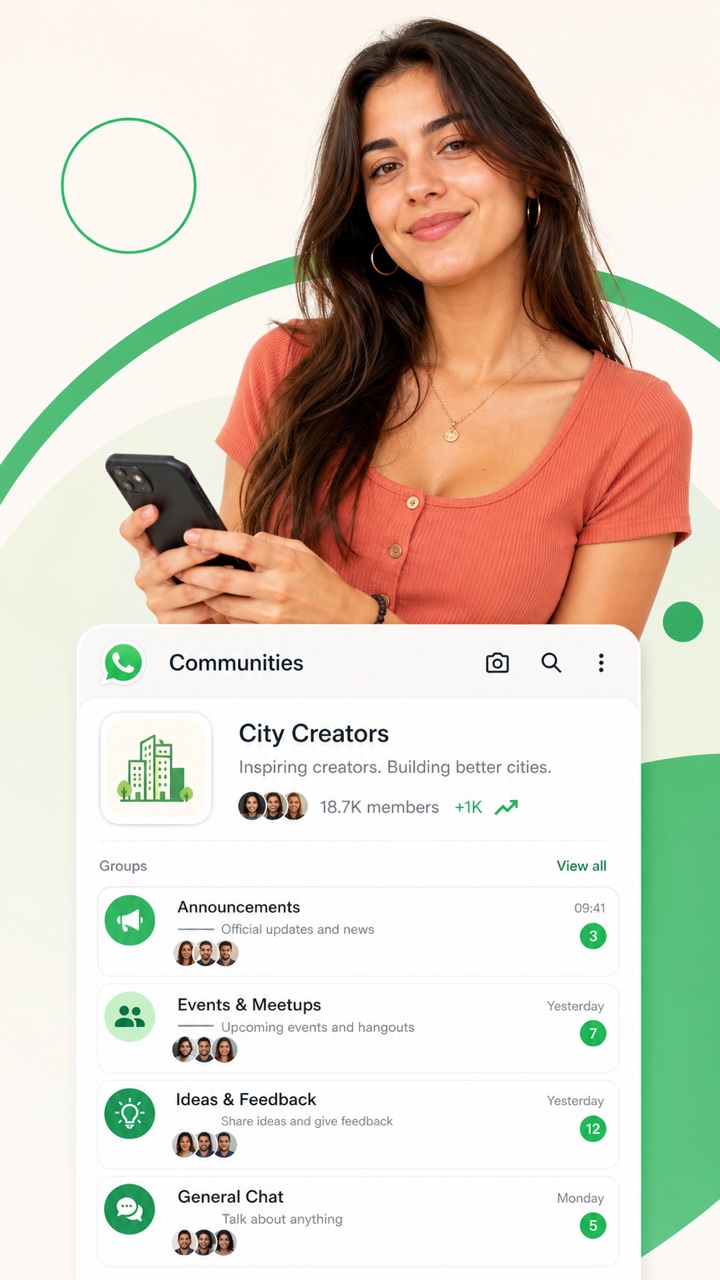
A WhatsApp community is more than a single busy group chat. It lets you bring different groups together, share announcements in one central place and allow participants to choose the topics that matter to them. However, when a new community still has only a few members, even a well designed structure can quickly feel empty. When you buy WhatsApp community members, you give that structure a visible foundation.
This can help when launching a community for customers, students, fans, members or event attendees. People are more likely to join a network that already feels established. The member count shows that the community is not merely an idea, but a place where people gather around a clear topic.
At SocialKings, you can choose a package ranging from 10 to 1,000 community members. Use the service for the overall community and make sure your invitation link remains valid. A useful layout and clear welcome information can then make all the difference for real participants.
When a community works better than a single group
In a regular WhatsApp group, everyone sees the same messages. That works for a small team or a single topic, but it can become disorganized as soon as different interests develop. A community allows you to combine, for example, an announcement group with separate spaces for support, events, beginners and advanced users.
For a trainer, this could mean giving each course its own group. A sports club can separate teams, volunteers and general announcements. A creator can use one community for news, fan questions and exclusive content. The total member base gives all of these sections greater weight together.
Do you only need one shared chat? In that case, choose buy WhatsApp group members. That product works with a group invitation. Community members are intended specifically for the broader WhatsApp community structure.
Which organizations is this suitable for?
Brands can use a community to organize customers by product or location. Associations and events use communities to keep updates separate from conversations. Coaches and trainers can divide participants by journey, level or start date without managing an entirely separate network each time.
International projects can also benefit from a clear structure. For example, you could create one general announcement group and separate groups for each language or region. New participants can immediately see where they belong, while the total community count shows that a larger network supports it.
The service is less suitable for a community that does not yet have a name, description or groups. Set up the essentials first. Extra members can make a prepared community more appealing, but they cannot clarify a confusing structure for you.
Which package suits your community?
With 10, 25 or 50 members, you can give a small community a modest start. This works well for a pilot project, class, local association or new customer community. One hundred or 250 members may be more appropriate when you are already promoting through email, social media or a website and expect genuine incoming interest.
The 500 and 1,000 packages are designed for larger organizations, international projects or communities with several active sections. Consider the number of groups and the available content. A high total with only one empty subgroup feels less convincing than a smaller community with a clear agenda.
You can always proceed in stages. Begin with an amount that suits the launch, see how real participants respond and expand later. This keeps the visible number in proportion to the activity you create yourself.
Help new members find their place quickly
Write a welcome message that is practical as well as friendly. Explain which groups are available, where important updates are posted and who answers questions. Pin the essential information whenever possible, and avoid making new members read dozens of messages before getting started.
Give every subgroup a clear name and a single purpose. “General 2” does not help anyone. Names such as “Event updates,” “Support Netherlands” or “Marketing vacancies” make the choice easier. Keep the number of groups limited at first; you can expand later when there is genuine demand.
Set a consistent schedule for announcements. People are more likely to stay when the community is useful without sending constant notifications. A weekly summary, agenda or exclusive update may be enough to keep the community active and valuable.
Launch a community without causing confusion
Before launching, create a simple path for new participants. The first step could be an announcement group where only administrators can post. From there, direct people to two or three relevant subgroups. The easier the first choice is, the less likely someone is to leave immediately.
Assign at least one administrator to each group and decide who will respond to questions. In larger communities, members do not expect every issue to be resolved instantly, but they do expect clear guidance about where to go. Include names and response times in the welcome message.
Use a recurring summary to connect separate conversations. For example, every Friday you could share the most important updates, upcoming dates and most useful contributions from the subgroups. This keeps the overall community valuable for people who do not follow every chat each day.
Measure success using more than the total number of members. Also consider which groups people actually open, which questions are asked repeatedly and where participants leave. This information can help you merge groups, improve their names and allow the structure to develop alongside real use.
Common mistakes with a new WhatsApp community
Do not create a group in advance for every possible topic. A long list of empty groups may make the community appear larger on paper, but it also makes it more difficult to understand. Start with the sections for which you already have content and administrators.
Do not turn the announcement group into a constant stream of promotions. Alternate practical updates with summaries, invitations and information that participants cannot find elsewhere. This gives them a reason to keep notifications enabled.
If you renew an invitation link, check it across every promotional channel. An outdated link in an email or profile can continue bringing in visitors months later. One working route used consistently helps prevent missed signups and support questions.
Present your community outside WhatsApp
With every invitation, include one sentence explaining the specific benefit of joining. A link on its own is easy to overlook. A promise such as early event updates, targeted professional questions or access to local members gives people a reason to click.
Use the same name and visual identity on your website, social channels and WhatsApp. Familiar branding reassures visitors that the invitation link is taking them to the right place and makes the community part of a broader brand story.
How to buy WhatsApp community members
First, select a package from 10 to 1,000. Next, copy the valid WhatsApp community link and confirm that it is also accessible outside your own account. Enter the link in the order field and complete the payment.
Copy the invitation link for the overall WhatsApp community and test it before ordering. A regular group link or channel link requires a different product.
Keep the community accessible and do not revoke the link while delivery is in progress. Also confirm that new members are not being blocked by a setting you changed after placing the order.
Keep your order number until the order has been completed in full. This allows support to find the correct order more quickly when you have a specific question.
Frequently asked questions
Which link should I enter?
Use the valid invitation link for the WhatsApp community, not the link for an individual subgroup.
Which packages are available?
You can choose from 10, 25, 50, 100, 250, 500 or 1,000 community members.
Can I order members for a single group?
Yes, but use the separate product for WhatsApp group members for this purpose.
Does the community need to remain publicly accessible?
The invitation link must continue working during delivery and provide access to the correct community.
Do the members also start conversations?
This product increases the visible member count. Valuable conversations come from your topics, guidance and real participants.
Ready to make a stronger first impression
Build a WhatsApp community that feels organized and established from the first invitation. Choose an appropriate package, make the structure clear and keep the community link active during delivery.
| Quantity | 10, 25, 50, 100, 250, 500, 1000 |
|---|

We deliver boosts for all social media
Grow quickly on social media – safely, smartly, and without stress
We are a team of social media experts with more than 15 years of experience in online growth. We have helped thousands of customers with TikTok, Instagram, YouTube, and Spotify promotion – safely, quickly, and reliably. Our services are 100% anonymous, are delivered automatically 24/7, and are tested for results. With us, you choose quality, customer friendliness, and transparent service.
📲 Buy TikTok followers, order Instagram likes, or grow Spotify streams? With SocialKings, you can arrange it safely and instantly.
Related products




Reviews
There are no reviews yet.